Battery Backed SRAM FAQ
If you're looking for assistance with replacing a battery in a video game, you've come to the right place. Please take a look at the table of contents.
Table of contents
What kind of batteries are these?
Do I need to learn to solder?
what if I don't want to learn to solder?
Are all batteries the same quality?
How do I replace the battery?
Notes on Nintendo Entertainment System
Notes on Super Nintendo Entertainment System
Notes on Nintendo 64
Notes on Genesis/Mega Drive
Notes on Game Boy/Color/Advance
Notes on Virtual Boy
How Long does this last?
Are there any other solutions?
Will old batteries leak?
What is battery backed SRAM?
it's a form of memory retention. A battery is utilized to power a RAM chip while the rest of the computer system is powered off. This was a popular way to circumvent the limitations of Mask ROMs before flash memory became affordable. These circuits use a very low amount of power. Because of this, an SRAM battery can last for decades under the right conditions.
Cartridge based video games from the late 80's to the early 2000's utilized battery backed SRAM. If you're into retro gaming hardware, you've certainly encountered cartridges that don't hold a save. This is because your SRAM battery is dead and needs to be replaced.
What kind of batteries are these?
They're your typical run of the mill tabbed coin cell battery. Common sizes include CR2032, CR2016, and CR2025. Generally, they're 3 volts. Aside from the tabs, these aren't custom parts. If you're looking to avoid dealing with these tabs, you can buy and install a battery holder. After that, any matching battery you buy will work.
Do I need to learn to solder to replace batteries?
Yes. Attemping to replace your battery with electrical tape or some other method is extremely foolish. It doesn't work and you can easily damage your game or hurt yourself. Learning to solder and doing the job properly is actually easier than removing spot welded tabs off of a battery. You're taking the harder route with no benefit whatsoever.
If you’d like to learn how to solder but are unsure of where to start, Voultar makes incredible videos on Youtube, and I suggest you watch them. His videos are entertaining and will familiarize you with good techniques. You'll get to see what professional quality soldering looks like and like he says, doing so yourself is "oh so easy".
What if I don't want to learn to solder?
Most retro video game shops will have the equipment needed to do repairs like this. Ask them nicely and see if they'll charge you a small fee to do a swap for you. Some retro gaming stores will try to upsell you on a new cartridge. Don't waste your money.
are all batteries the same in quality?
No. Please don't put any random Amazon battery into your game. There's a good chance that it'll die within a couple of years rather than a couple of decades. Try to use name brand batteries from Maxell and Panasonic.
This is especially true with Generation 2 & 3 Pokemon games. Cheap batteries last two or three years instead of the 5 to 7 you'll get out of a Maxell or a Panasonic.
There are links to recommended battery types under each console respective section. Use those and you'll have nothing to worry about.
How Do I Replace the battery?
You’ll need the following to properly replace your cartridge's battery.
2) Solder Sucker or Desoldering Gun
3) Solder and Flux
4) Quality Battery
5) Game Bit Screw Driver Set
6) Your Game
In that box above are links to everything I personally use. It's a good investment. Especially if you're a collector and especially if you're planning to build your soldering skills.
If you can back up, whatever save file is still on the game cartridge. Once the original battery is removed, all save data will be lost.
Before you begin, turn on the soldering iron and set it to 350° celsius
1) Disassemble the cartridge. Place the plastic casing, any shielding, and the screws in safe location. Make a mental note of how everything is oriented inside before you begin.
2) Test your new battery with a multimeter to ensure it’s good. Ideally, it’ll read somewhere between 3.29v and 3.34v. This is normal for a 3V coin cell.
3) Add fresh solder to the old battery's solder joints. This'll help whet the solder holding the battery in place. Apply heat to one of the joints and carefully lift the battery out of place.
4) Remove excess solder. If solder is stuck in a via, add fresh solder and suck it out.
5) LIGHTLY coat the battery tabs in flux and install the battery. Keep polarity in mind. Your joint should be shiny and smooth; never jagged. Don't blow on it, you'll oxidize it.
6) Gently pull the battery to ensure it's properly installed.
7) Check the voltage one more time. You may notice a slight dip in voltage compared to your previous check. This is normal.
8) Put your cartridge back together and test. If the game saves, great! if not, check your polarity. 9/10 times, this is the problem. If that still doesn't work, it could be your SRAM circuit. You may need a bodge wire somewhere, but that's beyond the scope of this article.
And that's it! You're done. Turn off your soldering iron and revel in your success!
NEVER touch the coin cell with your soldering iron.
The circuit board will indicate polarity with + and - . The + side will have the manufacturer logo. The - will be textured and devoid of text and logos.
Always examine the coin cell when determining polarity. Never rely on the tabs, as they can sometimes come in the opposite orientation of the battery already installed in your game.
Be mindful of surrounding components and traces. This is especially true of Game Boy and Game Boy Advance. The shaft of your soldering iron is just as hot as the tip. You will destroy things if you're not careful.
Always use flux. The flux in the core of your solder isn't enough.
Until you get the hang of things, take your time and be patient.
Notes on Nintendo Entertainment System
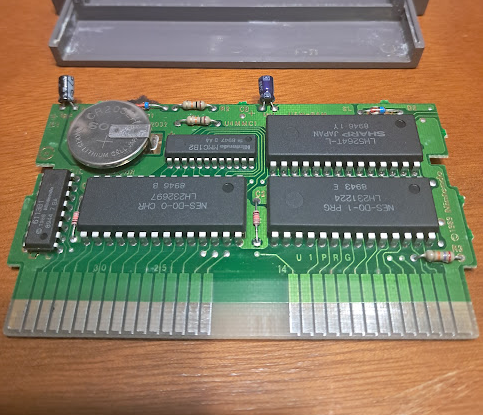
Buy NES cartridge Batteries here
before you do anything, check the list of games that utilize SRAM saves. Most games in this era used passwords, tape decks, or other crazy crap.
Games in the NES Programmable Series do not contain battery backed SRAM. These games are meant to be used with a tape drive that was never released outside of Japan. There are ways to reintroduce that functionality to the NES, and while that's fun, it's outside the scope of this article.
Some NES games have unpopulated battery sections on their board. Installing a battery won't enable saving. These games were never programmed to save data in the first place.
Notes on Super Nintendo Entertainment System
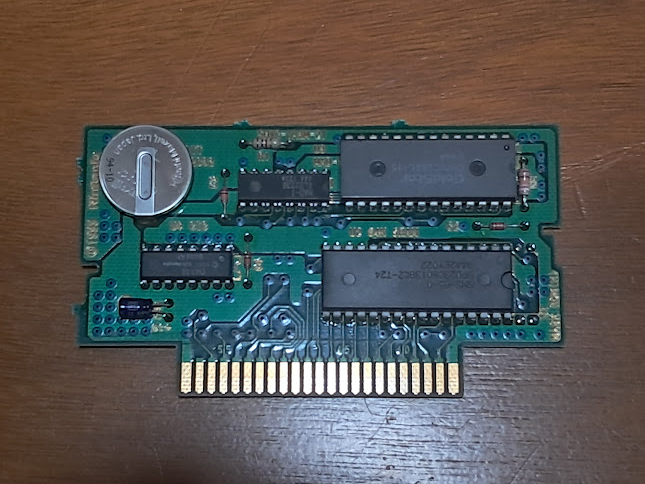
Buy SNES cartridge Batteries here
Super Nintendo cartridges are straightforward. If the game has save functionality, it'll use a battery to do it.
For the Nintendo Power cart, downloaded game software is stored via flash memory.
Help With Nintendo 64
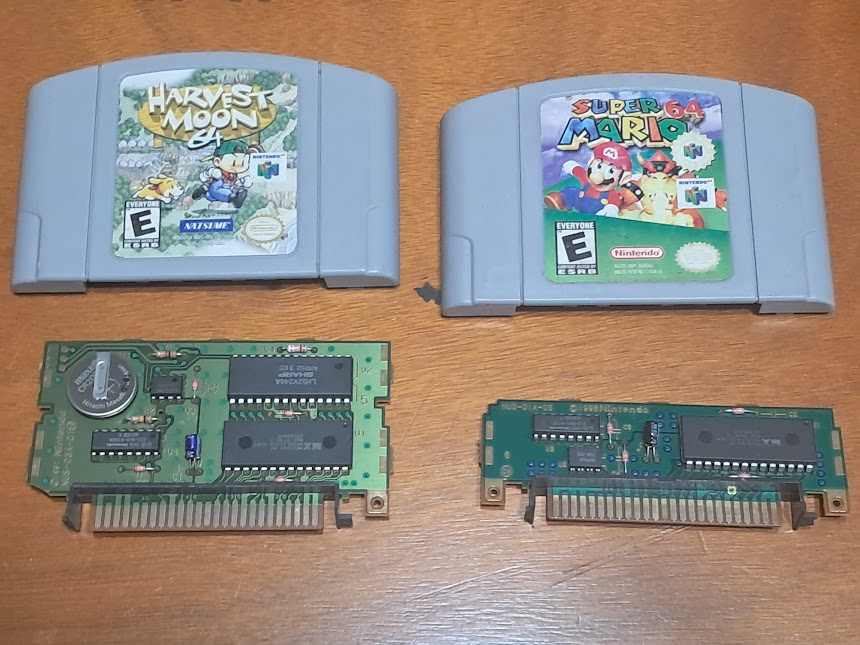
Buy N64 cart/controller pak Batteries here
Check this list to see if your game uses a battery. Most N64 games that save to cartridge will use EEPROM or FlashRAM, and do not contain batteries.
The Nintendo 64 Controller Pak contains a battery. All first party Controller Paks will have the battery soldered into the circuit. Some third party Controller Paks have a battery holder. You'll never know until you open it so please be sure to double check. A surprising amount of Nintendo 64 games utilize the controller pak exclusively for saving.
Some EEPROM based games (Mario 64, Perfect Dark) may appear to lose their save data if they're dirty. If your game boots and it looks like your data was erased, remove the cartridge, clean it, and try again. Chances are high that your save will return.
Notes on genesis/Mega Drive
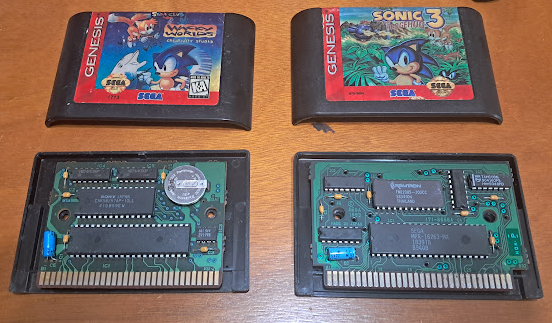
Buy Genesis/Mega Drive Batteries here
There's a large list of Genesis games that use battery backed SRAM.
Dirty EEPROM games (Sonic 3) may appear to lose their save data. Clean it and try again. Your save file is probably fine. The console simply failed to read it.
Sega CD Memory cart uses a CR2450. Get one here.
Notes on Game Boy/Color/Advance
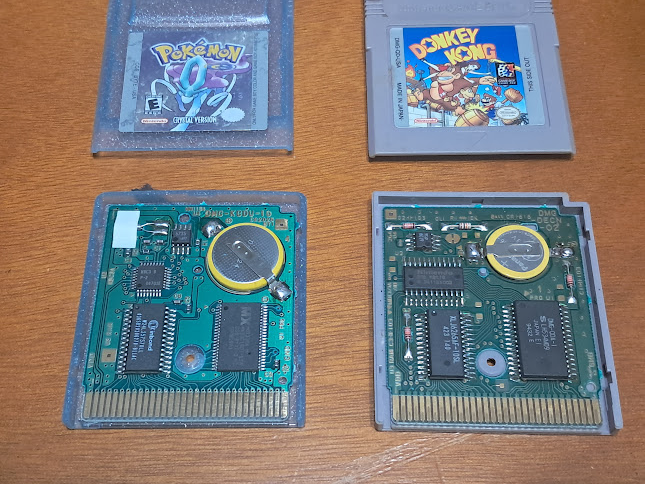
Batteries for Game Boy are all surface-mount. You can buy a battery for CR1616 games here, and a battery for CR2025 games here.
Games that use a CR2025 can safely be rigged up with a properly tabbed CR2032. Don't try to use a battery holder meant for CR2032. There's no room and you will not be able to reassemble the cartridge.
Check your game before you buy a battery for it. Some games use a CR1616 battery. Others use a CR2025. Sometimes, a Game Boy Color revision of a game will use a different battery than the original Game Boy version. B&W Wario Land II uses a CR2025, while the color version uses a CR1616.
Pokemon Red, Blue, Gold, Silver, and Crystal all utilize a CR2025 battery. Pokemon Yellow uses a CR1616.
Some games include a real time clock or "RTC". This significantly reduces battery life. When that battery does die, your entire save file will go with it. There are individual flash carts available that separate the RTC circuit from the save circuit so when the RTC battery dies, your save file will remain intact. They're also compatible with Pokemon Stadium. Dump your copy of Pokemon Gold/Silver/Crystal and use this instead. Trust me.
Many GBA games that otherwise do not utilize SRAM have bootleg versions that do. Don't bother replacing the battery in these. While you can certainly try, these cartridges are poorly made and the chance of you finishing an RPG on one of these is low. Buy an official cartridge or use an Everdrive.
Pokemon Ruby, Sapphire and Emerald will not lose saved data if the battery inside dies. The battery is solely to power the Real time Clock (RTC). When you replace your battery, you'll need to reset the RTC so that berries can grow again. this is only necessary if you wish to continue with your old pre-battery-death save. Starting a brand new save file after a battery replacement will also reset the RTC.
Notes on Virtual Boy
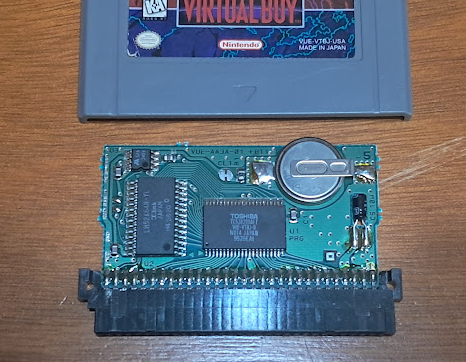
Virtual Boy carts use a CR1616 battery just like the Game Boy.Get it here.
I don't have any tips with regards to this. I'd presume you're replacing the battery in your Wario Land cart. Have a good time, it's a great game.
HOW LONG WILL THIS LAST?
Decades, assuming you use a quality battery. A few years at best if you use anything else.
Games that keep the time (RTC) will drain the battery in 5 to 8 years.
are there any other solutions?
Yeah, dump your game and run it in an emulator or flash cart. Remember, this is a hardware problem. NesterJ doesn't care that your copy of Kirby's Adventure doesn't hold a save. The biggest problem with this is the cost. You'll spend a pretty penny on dumping hardware for anything other than Game Boy.
Will old batteries leak?
In all my time collecting and repairing retro games, I've never seen it. That being said, it's not impossible.