The Joys of a Dirty NES
Existential Dread is part of the fun
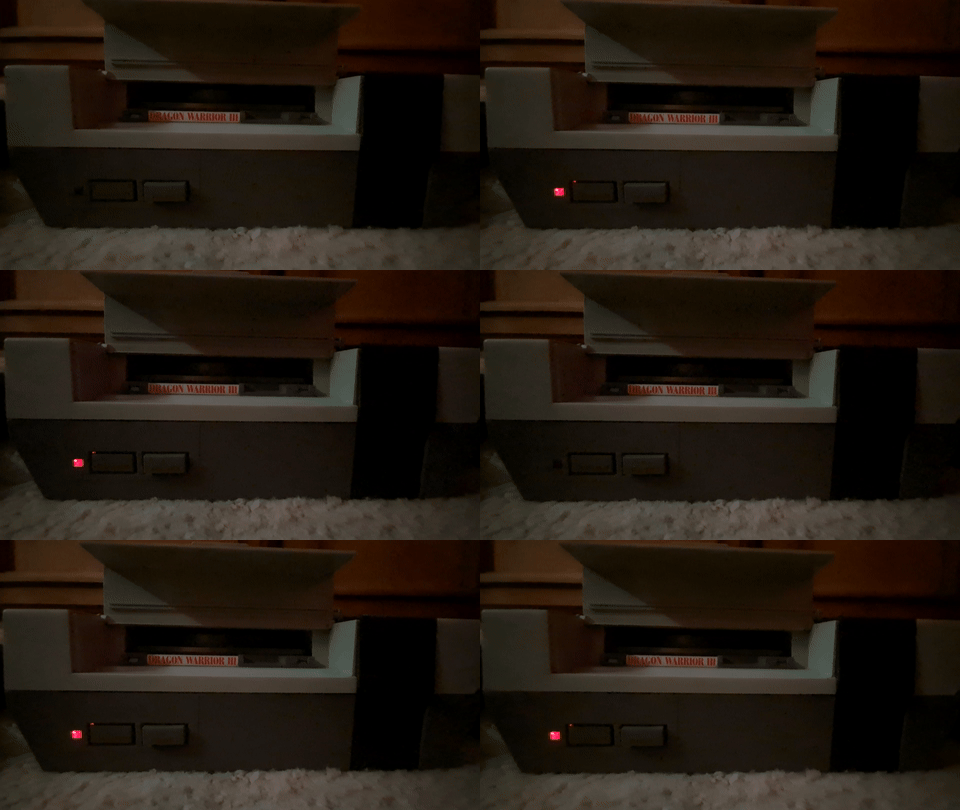
The launcher of 1000 controllers
The Nintendo Entertainment System (NES) is notorious for it's unreliability. In fact, half of everyone's nostalgia for it involves blowing on cartridges. Nobody ever asks why, though. To make a very long story short: Nintendo didn't want anyone to know the NES was a video game console. This was a reasonable position to take back then. Nintendo had no choice but to redesign the Family Computer (Famicom) if they were to release it in North America. Along with a massive change in aesthetic, they completely redesigned it internally and added several new features. With composite output and detachable controllers, the NES could have been the best version of the Famicom.
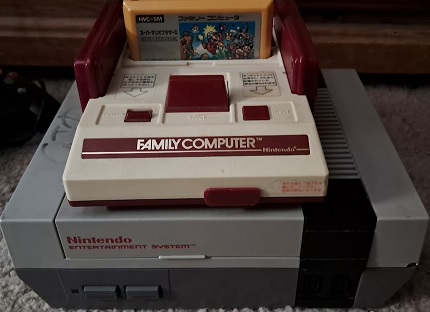
These are both the same machine
Unfortunately, the redesign introduced flaws that drastically alter the experience. First of all, they removed the Famicom's eject button and that's a crime against humanity. More importantly, the NES is far less reliable than the Famicom. Every NES owner had their own method of getting it to work. Most of which involved saliva to some degree. To wit, if the gif at the top of this page didn't give you war flashbacks, I'd assume you've never used an NES. Unlike modern consoles, these failures were not only common, but expected.
What's going on here?The NES' cartridge port is flawed. Imagine putting a game into a Game Boy. There's resistance, isn't there? It's not enough to feel unusual, but it's still a distinct act. This is because the pins in the cartridge connector are pitched just right so that they create friction when cartridge contacts are introduced. The NES doesn't do this. Instead, it relies on you to go the extra mile. You put the cartridge into the machine and press it down into place.
"So the NES has no friction, why is that an issue?"
Because that friction the key to everything.
When you put a cart in a Game Boy, the friction you feel is from the contacts and pins scraping against one another. This prevents contaminants from building up and creating connection issues. The NES' lack of this feature is what makes it less reliable.
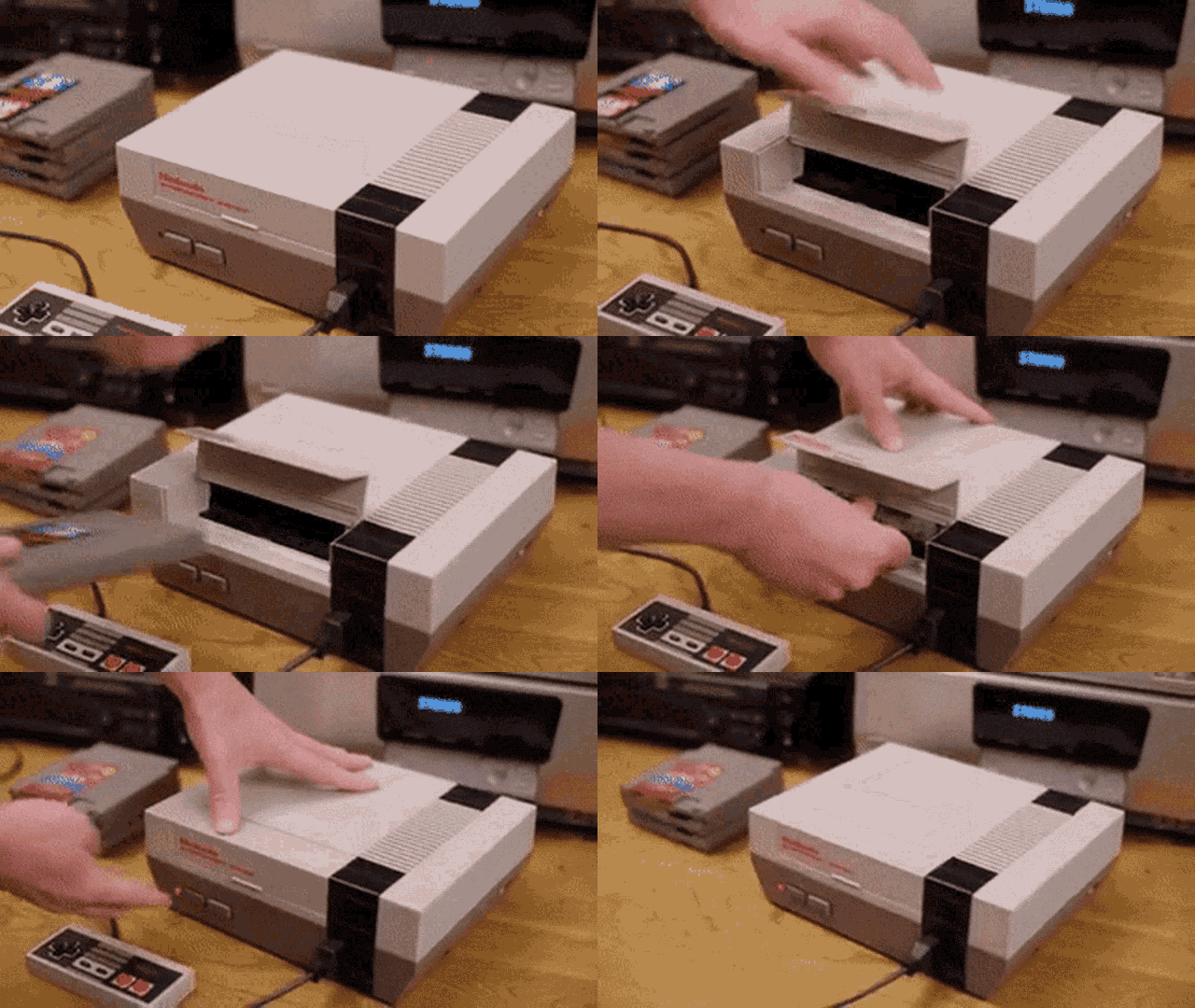
I wonder what I'd be doing for a living if Nintendo hadn't screwed this up
Dirty NES games can contaminate the console and keep it from working correctly until it's disassembled and cleaned. Today, that's no big deal. Back in it's heyday, it was a massive problem. The NES was an expensive piece of kit, and few were willing to tinker with it. Most people had no idea anything was wrong to begin with. Blowing on the games usually worked. If that didn't, a good french kiss was sure to get it going. Both of these cleaning methods made the problem worse.
In 1990, Game Genie hit the market. It was a passthrough cartridge that let you input codes that modified your games. You would plug your cartridge into it and then shoved the whole thing into the NES. To this day, I love messing with Game Genie codes. Unfortunately, because of how it works, Game Genie puts significant mechanical stress on your NES' pin connector. Enough to permanently damage it.
At 1.8mm thick, Game Genie's circuit board is 50% thicker than a licensed NES game. This is profoundly out of spec with the 1.2mm the console was designed for. The first time you use Game Genie, you really need to shove it in there. Over time, it becomes less difficult. You may also notice that your games work less frequently than they used to. That is of course, unless you use your Game Genie. I love solutions to problems created by the solution itself. It's like my NES became an alcoholic.
To this day, people believe that normal usage warps the pin connector in a similar manner to how the Game Genie does. Personal experience suggests otherwise, but I have no definitively proof. What I can tell you is that my main console has used the same 72-pin connector for over fifteen years. In that time, I've certainly needed to clean it, but I've never had to adjust the tension of the pins.
With all of these issues, using an NES in it's heyday meant fucking with it until it booted. You may blow on it, wiggle it around inside, lick the contacts, or god forbid, bust out the Game Genie. Whatever worked. As a child, I was known for being good at getting games to work. My cousin wanted to play Felix the Cat, so they called me into the room to get it running. I sat down on the floor, did whatever it is I did, and got it going instantly. I had been playing outside, and these people interupted that so I could get a Nintendo game running. No wonder I'm writing this.
Even after booting, you still had to worry. Crashes and graphical glitches were common. Often times, these would manifest in the game freezing up and holding the last note the APU played until you shut the power off. These weren't as common as the failure we're about to discuss. You see, Nintendo thought it wise to "upgrade" the NES with some good old fashion DRM.
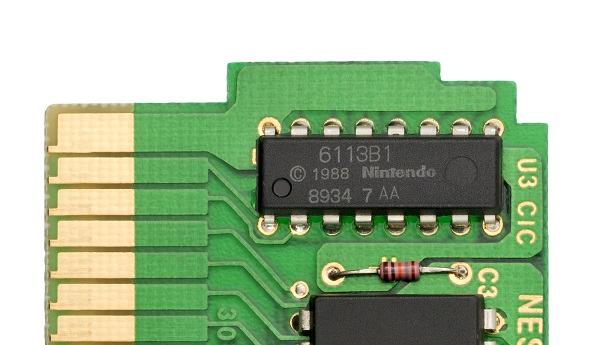
the chip responsible for everything
They called it the 10NES CIC chip, and it’s responsible for everything wrong with your life when you were six. In order for an NES game to run, it's CIC chip needs to remain syncronized with the NES' CIC chip. If either one falters, the console will reset itself continously. Today it's easy to defeat this crap, but back in the day, it was nothing but trouble.
Syncronization is precise, and extremely finicky. Clean NES consoles have nothing to worry about. When it works as intended, the CIC chip is only noticable occassionally. Tou can bang the table all day, flip the console upside down, shake it like a nutcase, it doesn't matter. That CIC will never pop off. For this reason, I rarely disable the CIC during a repair. In fact, I do a CIC test, where I play the console like a bongo and shake it around. If it goes off (which is never) I pull the console apart and clean it some more. It's become a game to me.
CIC failuresWith a dirty NES, the CIC is a ticking time bomb. Your console becomes sensitive to the slightest vibration. Once, my grandma brushed against a wall near my NES and it killed my game.That blinking light was the ultimate buzzkill. Another time, the dog walked across the room. That's it.
Often, it would go off at complete random. While playing Mega Man 5, I made it past a very tough section of Crystal Man's stage only for the blinking to begin not long after. Another time, I went to the bathroom and came back to Double Dragon's title screen blinking at me. I'd mostly take it in stride since that's just how things were.
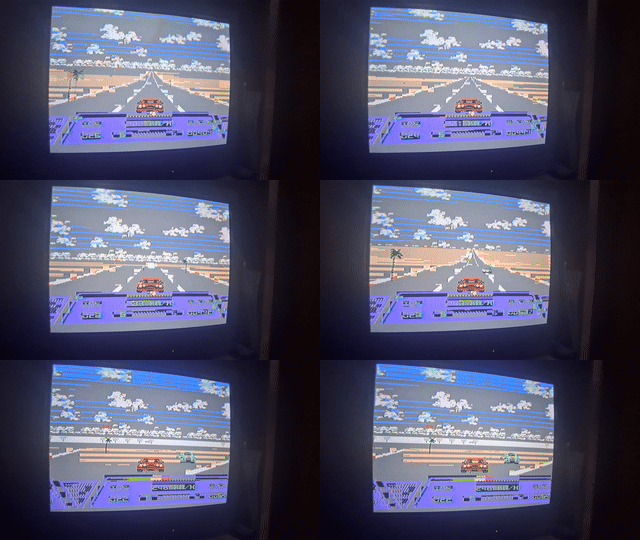
gives a whole new meaning to "crash"
Game's were tough in the NES days. You were always getting your ass kicked, couldn't save, and the threat of random, uncontrollable crashes loomed over you like the Sword of Damocles. Thankfully, we didn't take these games too seriously. Even with these issues, the NES was fun. If you're young enough, anything is awesome.

How NES Games store Graphics internally. Look familiar?
When I was four and five, one of my favorite things about the NES were the graphical glitches. Before I dive into that love, let's talk about why it happens in the first place.
Traditionally, an NES cartridge consists of a Program ROM (PRG) and a Character ROM (CHR). These two chips communicate with the NES' CPU and the PPU respectively. The CPU is responsible for running game code. I don't have to explain that. PPU is short for Picture Processing unit, and is the NES' graphics chip. The PPU reads 8x8 pixel tiles from CHR-ROM/RAM and with instructions from the CPU, draws color images with them.
The CPU and PPU communicate, but they don't verify each others work. Allow me to explain as simply as I can: the PPU loads an abstract pattern table from the cartridge (see above). The CPU gives instructions to the PPU on how to turn that into a picture. the CPU will say "Put Tile $A5 here!" without knowing what $A5 looks like. the PPU will reference whatever it sees at $A5 and draws it on screen somewhere.
Now, Let's say the cartridge connector is making perfect contact with the CPU, but poor contact with the PPU. what'll happen?
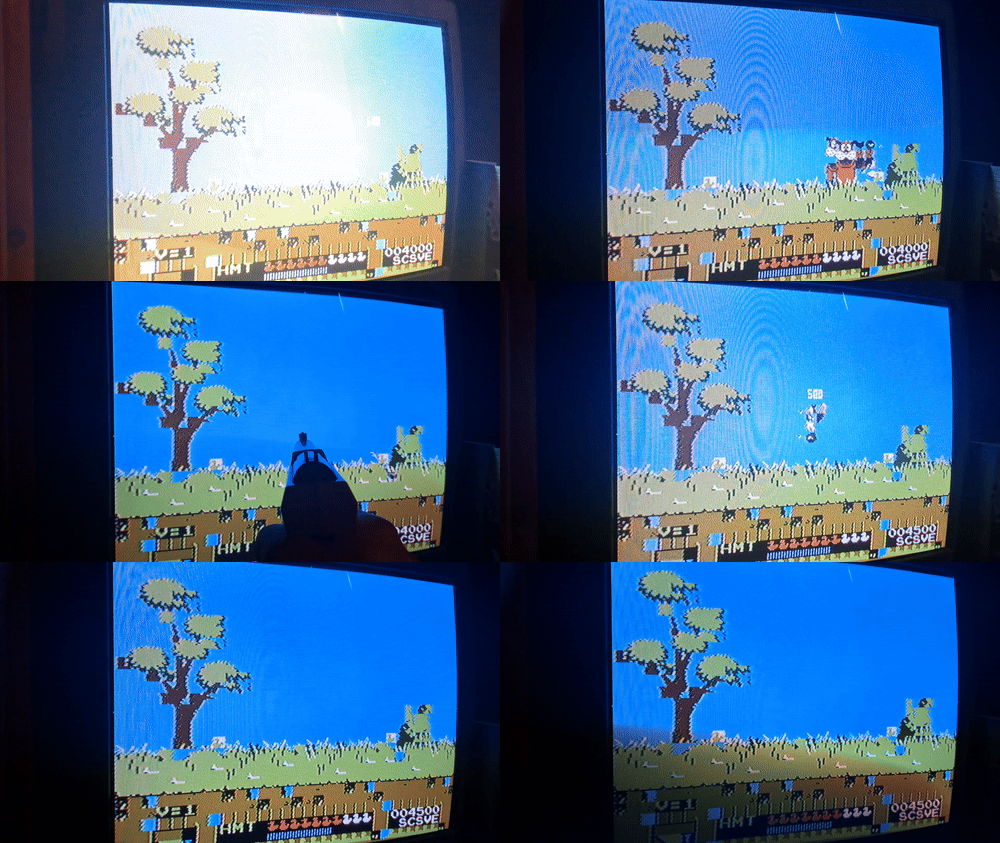
this
You could boot up Duck Hunt, and end up with something that sounds and plays like Duck Hunt, yet appears on screen as a scrambled abomination. This was always a treat because it was infrequent. often the connection would be so tenuous that you could actively see it struggling. Lines would flicker back and forth, Mario’s face and legs would be swapped, The Duck Hunt Dog would have two faces -- weird stuff.
My copy of Quattro Adventure was always dirty. I don’t think that I ever saw what Linus Spacehead was supposed to look like. His entire body would always be a garbled mess. We never played Quattro Adventure because it sucks, but If I wanted to show other kids this phenomenon, that was my goto game.
It's true! Sometimes we wanted to see graphical glitches. We'd screw with the cart while it was plugged in and see what we could find. Often getting mere jail-bars for our trouble. It's difficult to intentionally invoke these things.
Nowadays when I see this, I know exactly what it is and reset the console. But back in the day? It was magic. What was going on? Why did it happen? How could I make it happen again? Sometimes, being a four year old has it's perks.
Things get wilderI love it when NES games boot into the wrong thing. Imagine booting up Mega Man 5 and seeing a random glitched up stage instead of the title screen. This happened to me more than once, with multiple games.

Occassionally, Dragon Warrior would boot directly to this
When I first tried Dragon Warrior, all I could get it to show was the gif above. It would loop this animation forever until I turned off the power. Of all the strange things I've seen an NES do, this is the most prominent in my mind. I still can't explain it and frankly, don't want the mystery to be spoiled. A few bytes are misread, and it leads to this? What kind of fucked up code is Dragon Warrior running on?
Other instances include:
- Tetris booting into the rocket sequence and launching a glitch rocket
- Double Dragon booting to a garbled screen while the Game Over music plays over and over again.
- Super Mario Bros./ Duck Hunt booting straight to Duck Hunt.
That last one doesn't sound so bad but listen: I was afraid of Duck Hunt growing up. I don't even remember when it happened. I remember being afraid it would happen again. When I was in my mid 20's, I repaired an NES. While testing it, I triggered this one. I felt vindicated when I saw it,
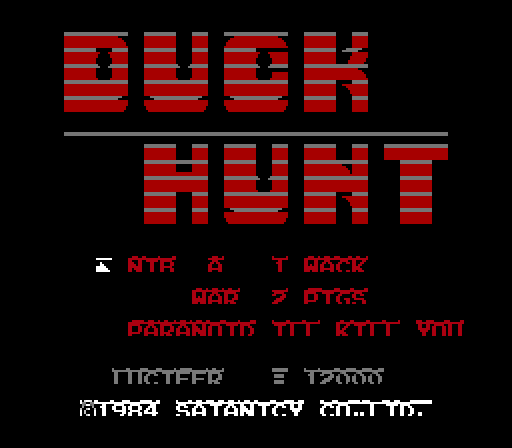
what my child brain probably saw
Once, I had every single glitch imaginable happened at the same time. Upon booting Mega Man 5, the CIC chip went of, and it kept booting into a garbled version of Gravity Man’s stage. Another time, Mega Man rode his jetski clean through the opening cutscene. It looked like he was flying it above the city scape.
I wish I could recreate these on command but I can't. Inducing them in an emulator just isn't the same, either. Being caught off guard by one of these is one of the weirdest experiences you can have with a console. In fact, I'd go so far as to say the NES experience isn't complete unless you've witnessed this kind of thing with your own eyes. It's even better when there are other people in the room to watch and react to it with you.
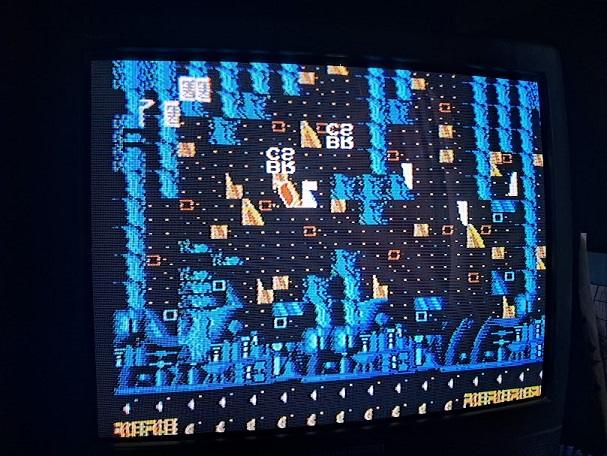
my favorite air fortress level
Sadly (but not that sadly), this isn't the norm for me anymore. In fact, I had to induce some the examples seen in this article. Keeping your NES clean and treating your games with respect makes a world of difference.
During the winter months of 2022, I played through all of Final Fantasy III on my newly repaired childhood NES. The same NES that gave me the issues I've been discussing this entire article. I used an Everdrive, and plugged multiple weeks of play into it. It’s completely unmodded, so the lockout chip could have started its shit, but never did. In fact, I don’t think it crashed once, even after hours and hours of play. As a kid, I was lucky to get thirty minutes out of it.
With a clean pin connector, I still think the front loading NES is the best version of the hardware. Every other model has some kind of downside too. Some far worse than others
- NES Top Loader: No composite output without a mod
- Family Computer: Hardwired controllers with absurdly short cables. No composite output without a mod
- Twin Famicom: Hardwired controllers
- AV Famicom: No American Zapper support without a mod.
- Famicom Titler: Absurd price
You'll need a CRT to get the best picture out of one of these. I don't recommend RGB or HDMI unless you're trying to stream. A lot of these games were meant to be played with the inherent blurring of a CRT. Without it, NES games look a lot worse. That's an opinion, but I stand by it.
If you're looking to play NES today, you'll need to know how to repair one and own a CRT. If that's too much, just use an emulator. The official Nintendo one is fine, and you can even buy proper controllers for it. The emulation and the controllers are as close to the original as you're going to get. There's some input lag, so your mileage may vary. Of course, you can emulate however you want. Hook those official bluetooth NES controllers to a PC and run Double Dragon through FCEUX or MESEN. It's up to you.
I find it amusing that people have been emulating NES longer than it was on the market. NESTICLE popped up nearly 30 years ago and while it had issues, they were nothing compared to the kind of crap the real thing was doing. As time passes, what I experienced as a child will cease to be common knowledge. One aspect of this era will always persist though. You'll never see a NES clone without an absurdly tight pin connector. That's the legacy of Nintendo's first time to bat in America. That's of course, if you look past the fact that Nintendo went on to legitimize and subsequently dominate* an industry for the next 40+ years. That's also interesting, I suppose.